
Shield vrs 8 (2022)
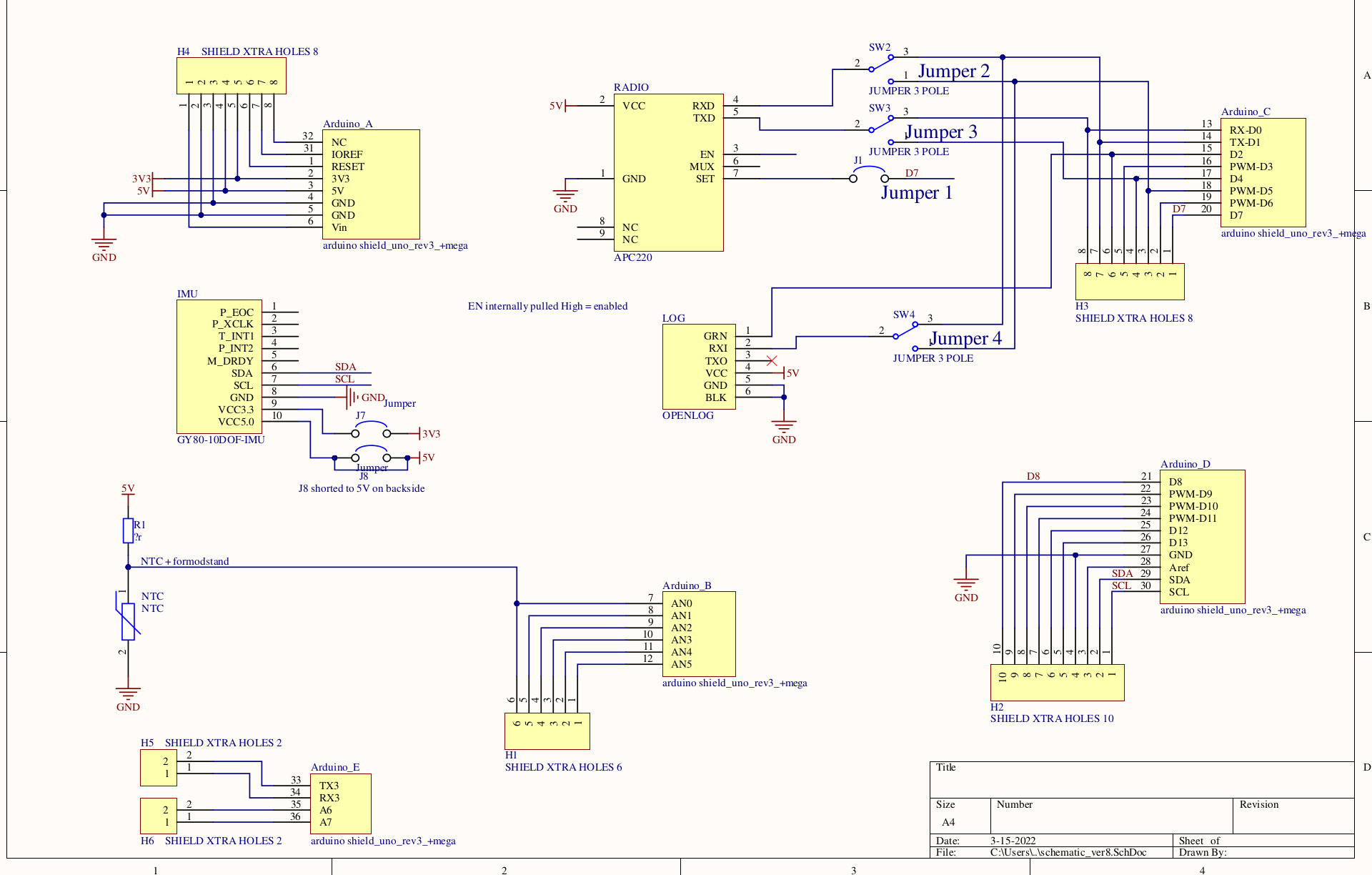
Shield version 8 has 4 jumpers J1 to J4 for configuring connection to the apc220 radio and thebg openlog.
In the following north means jumper is close to the apc220 radio and south means close to the edge of the shield.
The description is with the shield on an UNO. It can also be used on a MEGA - but with slighty different pins numbers.
J2 APC220 radio RX pin
The APC220 radio RX pin is used for sending bytes to the radio for transmision.
J2
                                  D5     D4     D5     D7

                                apcRX  apcTX  apcRX  apcSET

                                ardTX  ardRX  ardTX

   IMU                            4      3     2        1
--------------------------------------------------------------------------


Uno Serial TX to ap radio RX:   Jumper J2 on ardTx<->apcRX

Uno Serial RX to ap radio TX:   Jumper J3 on ardRx<->apcTX

Uno Serial TX to openlog  RX:   Jumper J4 on ardTx<->apcRX


----

softserial   with RX D4 and TX T5,


Softserial  TX to ap
 |
Pin setting
The pins are used for roouting radio, openlog etc the right way
North: jumper closest to radio
South: jumper away from radio - closet to edge of board
J1 hos only north
All HW serial on Arduino
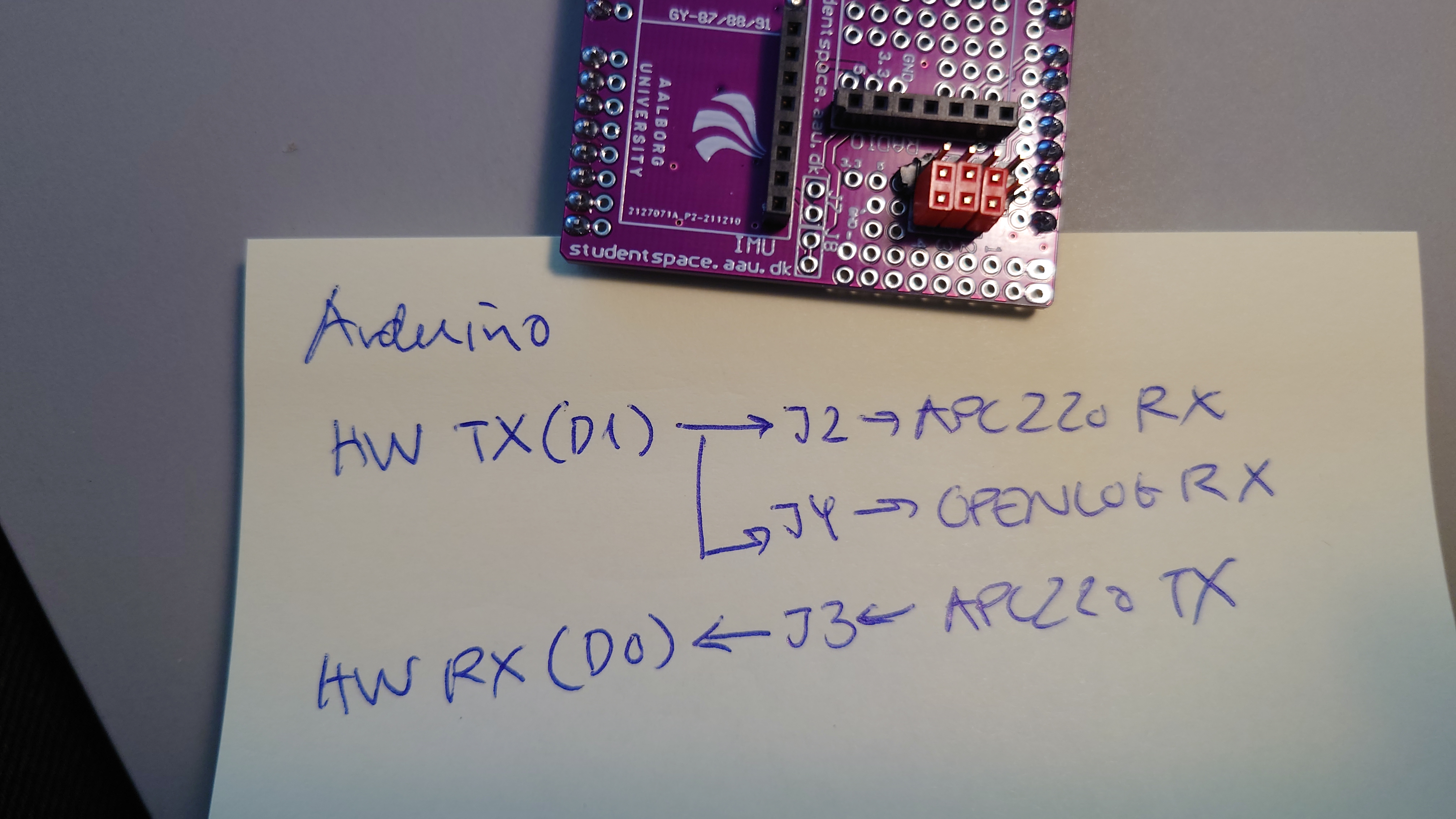
J2 south connect Arduino hardware TX(Serial.print) to APC220 radio RX pins , which means all which is written to the HW serial po is transmitted.
J3 south connect APC220 TX to Arduino hardware RX so all data received by radio is routed to hw RX on Arduino
J4 south connect Arduino hardware TX to openlog RX so all written to Arduino serial port is saved on SDcard.
NB remember to configure communication speed (baudrate Serial.begin(xxx)) on all serial ports to be the same
 |
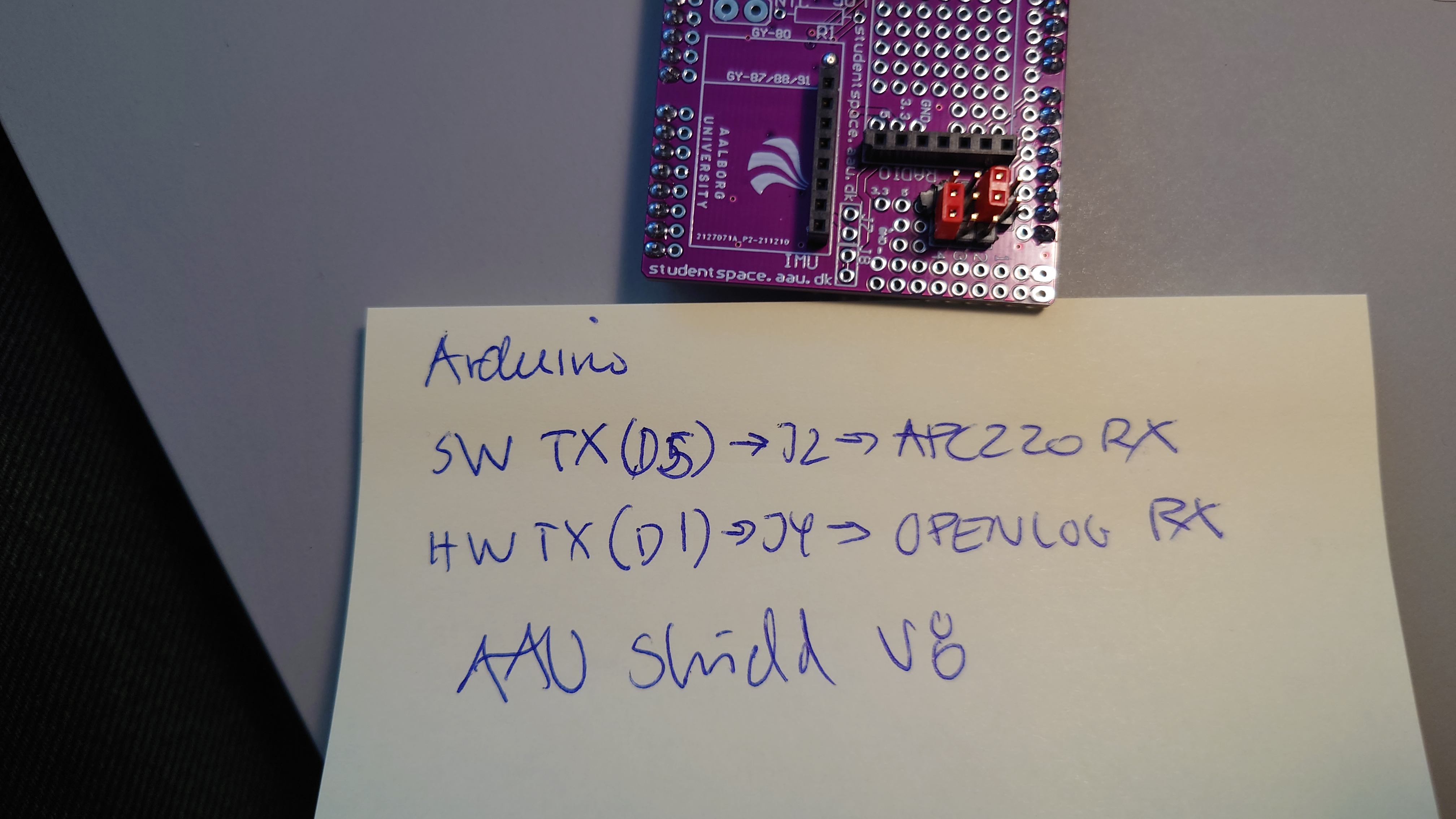
Arduino SW serial to apc220 and Arduino HW serial to openlog
J2 north connect connect Arduino SW TX serial (on D5) to APC220 RX so Arduino SW serial with TX on D5 is used for transmit by radio
J4 south connect Arduino HW TX to openlog RX. So we can have higher speed on HW TX than SW TX, which means we can store more info on sdcard
 |
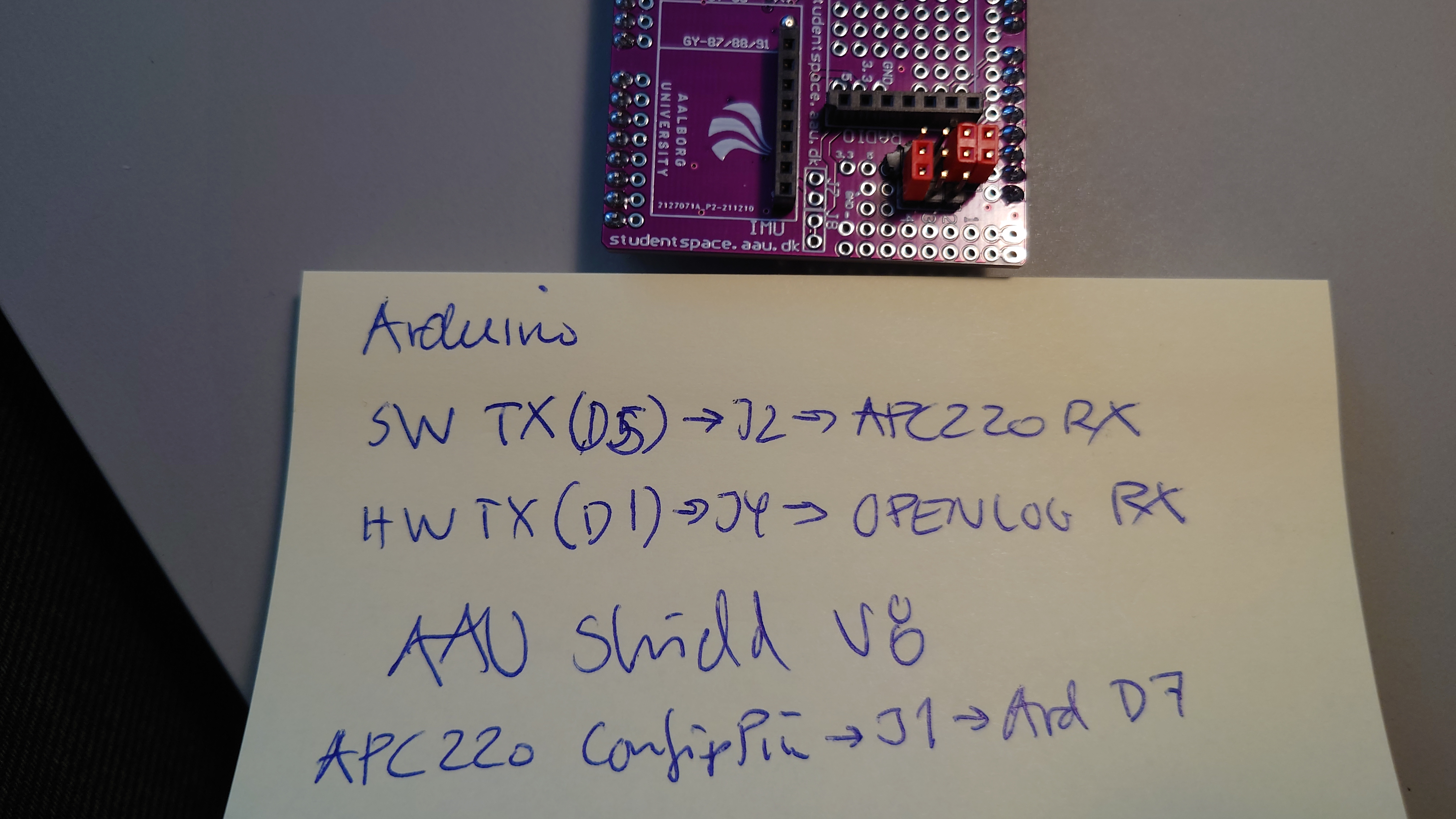
Same as above plus APC220 config pin to D7
So by apc220cfg.h you can reprogram radio in situ
 |
J3 is for connecting apc220 tx to either Arduino HW rx (D0) or Arduino SW RX(D6)
SW Serial port - code
#include <SoftWareSerial.h>

SoftwareSerial soft01(5,6);  // RX, TX


for config you need

#include <apc220cfg.h>

char x[35];
int res;


apc220cfg soft01cfg(&soft01, 7); // pin7 for enabling
...
serialcfg.wrCfg("412000 2 9 3 0");
delay(100);

res = soft01cfg.rdCfg(x);

if (res == 0) {
		Serial.println(x);
}
else {
		Serial.print("no radio found");
		Serial.println(res);
}
for history only
Pins on shield vrs 6
Jumper no …
Connect SET pin on radio to arduino dig pin 8
needed f you want to reconfig radio
Connect Arduino TX(Serial write) to RX on APC220 radio
is needed if you want to send data by use of radio
Connect Arduino RX (serial read) to TX on APC220 radio
needed if you want to receive data from radio
Connect Arduino TX to openlogger RX
needed if you want to write to openlogger - save data on sdcard
Connect Arduino TX to openlogger TX
needed if you want to receive data from openlogger
So for logging on SD card AND transmit by radio Jumper 2 and 4 is needed
NB NB NB NB NB
If you are going to reprogram Arduino with shield on you need to remove the jumpers
As long as you retain this notice you can do whatever you want with this stuff on these pages.
If we meet some day, and you think this stuff is worth it, you can buy me a beer in return :-)
(C) Jens Dalsgaard Nielsen
credit for license this goes to phk@FreeBSD.ORG
